
changelog reads release notes in your terminal, either for one package or for every package that changed in your project.
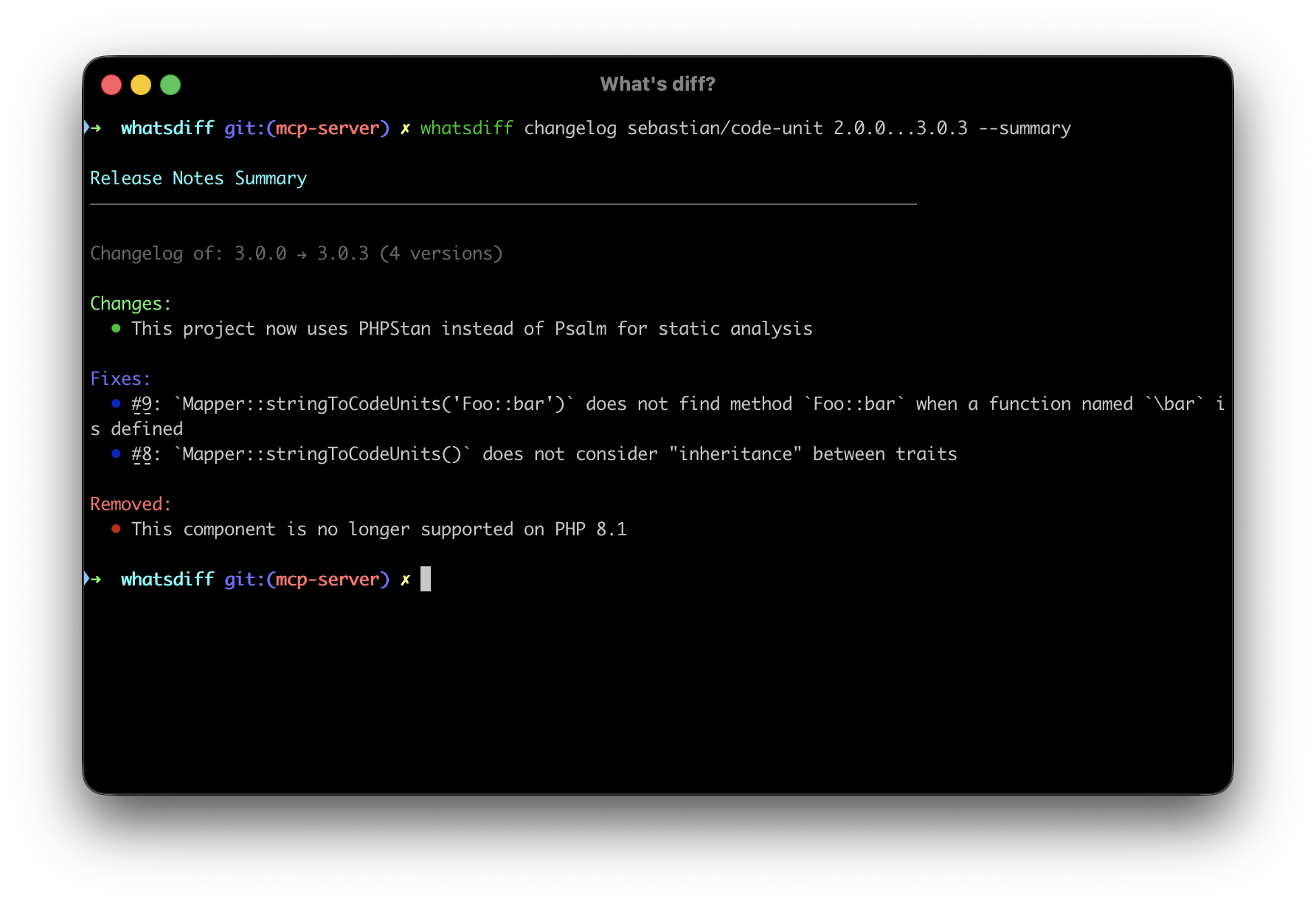
whatsdiff changelog [package] [version] [options]
Every updated package
Run it with no arguments and it aggregates release notes for every package that was updated or downgraded:
whatsdiff changelog
It finds the changed packages the same way analyse does, comparing your working tree against the previous commit unless you pass --from and --to. This is the quickest way to review what a composer update or npm update actually brought in, without running the command once per package.
whatsdiff changelog --from=v1.0.0 --to=v2.0.0
whatsdiff changelog --include=composer --format=markdown
A single package in your project
Name a package and whatsdiff finds it in your composer.lock or package-lock.json, works out the version change from your git history, and prints the release notes in between:
whatsdiff changelog symfony/console
Point it at other revisions with --from and --to:
whatsdiff changelog doctrine/orm --from=abc123 --to=def456
whatsdiff changelog guzzlehttp/guzzle --from=v1.0.0
Any package, anywhere
To read the notes for a package you have not installed, add --type so whatsdiff knows which registry to query. This works outside a project entirely, which is handy when you are still deciding whether to add a dependency:
whatsdiff changelog react --type=npm
whatsdiff changelog symfony/mailer --type=composer
Pass a version or a range as the second argument:
whatsdiff changelog laravel/framework 11.0.0
whatsdiff changelog symfony/console 6.0.0...6.4.0
Options
| Option | Description |
|---|---|
--from |
Commit, branch, or tag to read the starting version from |
--to |
Commit, branch, or tag to read the ending version from (defaults to HEAD) |
--ignore-last |
Ignore uncommitted changes |
-t, --type |
Registry to query directly: composer or npm |
--include |
Only these package managers (comma-separated: composer, npmjs) |
--exclude |
Everything but these package managers |
-f, --format |
Output format: text (default), json, or markdown |
-s, --summary |
Combine every release into a single list of changes |
--include-prerelease |
Include beta, alpha, and RC versions, which are skipped by default |
--no-cache |
Bypass the cache and fetch fresh data |
--include and --exclude are mutually exclusive, and they only apply when aggregating. The positional version argument requires a package argument.
Output formats
Text
whatsdiff changelog guzzlehttp/guzzle 7.8.1 --type=composer
Release Notes
--------------------------------------------------------------------------------

7.8.1 - Release 7.8.1
Date: 2023-12-03
URL: https://github.com/guzzle/guzzle/releases/tag/7.8.1

Changes:
  • Updated links in docs to their canonical versions
  • Replaced `call_user_func*` with native calls

--------------------------------------------------------------------------------
When aggregating, each package gets a {package} ({from} → {to}) header followed by an 80-character separator, with a blank line between packages:
guzzlehttp/psr7 (2.8.0 → 2.9.0)
================================================================================

2.9.0
Date: 2026-03-10

Changes:
  • Added nested array expansion support to `MultipartStream`
  • Added `@return static` to `MessageTrait` methods
  • Updated MIME type mappings

--------------------------------------------------------------------------------

2.8.1
Date: 2026-03-10

Fixes:
  • Encode `+` signs in `Uri::withQueryValue()` and `Uri::withQueryValues()` to prevent them being interpreted as spaces


saloonphp/saloon (3.14.2 → 4.0.0)
================================================================================
… (release entries per version)
JSON
whatsdiff changelog guzzlehttp/guzzle 7.8.1 --type=composer --format=json
{
    "total_releases": 1,
    "releases": [
        {
            "tag_name": "7.8.1",
            "title": "Release 7.8.1",
            "date": "2023-12-03T20:36:10Z",
            "url": "https://github.com/guzzle/guzzle/releases/tag/7.8.1",
            "body": "### Changed\r\n\r\n- Updated links in docs to their canonical versions\r\n- Replaced `call_user_func*` with native calls\r\n",
            "changes": [
                "Updated links in docs to their canonical versions",
                "Replaced `call_user_func*` with native calls"
            ],
            "fixes": [],
            "breaking_changes": []
        }
    ]
}
Aggregating wraps the same release shape in a packages array. Each entry carries the package name, its manager type, the resolved from_version and to_version, and first_tag and last_tag markers. With --summary, each entry also gets an aggregated summary object.
{
    "total_packages": 2,
    "packages": [
        {
            "package": "guzzlehttp/psr7",
            "type": "composer",
            "from_version": "2.8.0",
            "to_version": "2.9.0",
            "total_releases": 2,
            "releases": [
                {
                    "tag_name": "2.9.0",
                    "title": "2.9.0",
                    "date": "2026-03-10T09:03:43Z",
                    "url": null,
                    "body": "### Added\n- Added nested array expansion support to `MultipartStream`\n…",
                    "changes": ["Added nested array expansion support to `MultipartStream`", "…"],
                    "fixes": [],
                    "breaking_changes": [],
                    "deprecated": [],
                    "removed": [],
                    "security": []
                }
            ],
            "first_tag": "2.9.0",
            "last_tag": "2.8.1"
        }
    ]
}
Markdown
whatsdiff changelog guzzlehttp/guzzle 7.8.1 --type=composer --format=markdown
# Release Notes

## 7.8.1 - Release 7.8.1

**Date:** 2023-12-03
**URL:** https://github.com/guzzle/guzzle/releases/tag/7.8.1

### Changes
- Updated links in docs to their canonical versions
- Replaced `call_user_func*` with native calls
When aggregating, each package becomes a top-level # heading and the release entries below it reuse the layout above.
No updated packages
All three formats return an empty result rather than failing:
| Format | Output |
|---|---|
| Text | No updated packages found. |
| Markdown | _No updated packages found._ |
| JSON | {"total_packages": 0, "packages": []} |
The summary view
--summary folds every release in the range into one list of changes, which makes breaking changes much easier to spot when you are debugging after an upgrade:
whatsdiff changelog guzzlehttp/guzzle 7.7.0...7.8.1 --type=composer --summary
Release Notes Summary
--------------------------------------------------------------------------------

Total Releases: 3

Changes:
  • Updated links in docs to their canonical versions
  • Replaced `call_user_func*` with native calls
  • Added support for PHP 8.3
  • Improved error handling for network timeouts
  • Fixed issue with header parsing

--------------------------------------------------------------------------------
Use cases
Writing release notes for a pull request
One command produces the full review surface for a dependency bump, ready to paste into the description:
whatsdiff changelog --from=origin/main --to=HEAD --format=markdown > pr-notes.md
Reviewing a package before you upgrade
Read what is waiting for you before running composer update:
whatsdiff changelog laravel/framework
whatsdiff changelog symfony/console 6.0.0...7.0.0
Tracking down a breaking change
When something broke after an update, --summary collapses every release in the range into one list, which is faster to scan than release-by-release output:
whatsdiff changelog symfony/http-kernel --summary
Reviewing someone else's dependency bump
On a branch that touches the lock files, aggregate mode covers every package at once:
git checkout feature/update-deps
whatsdiff changelog
Auditing what changed between two releases
whatsdiff changelog symfony/security-core --from=v2.0.0 --to=v3.0.0
Feeding another tool
JSON output drops straight into a deployment script or a dashboard:
whatsdiff changelog --format=json > deployment-changes.json